A Conflict-Free Git Workflow for Visual App Builders Versioning UI Models and Components
By Taylor
An opinionated Git workflow to version visual UI changes, data models, and custom components without merge conflicts.
Why visual app builders still need a Git-first workflow
Visual development speeds up delivery, but it also concentrates risk: UI changes can be “invisible” until someone clicks through a screen, data model tweaks can break live flows, and custom components can drift away from the app that uses them. A Git workflow doesn’t slow teams down; it gives you a shared truth you can review, test, and roll back.
This matters even more in tools that mix no-code configuration with real code. With weweb.io, teams can build visually, import custom Vue components, and export a standard Vue.js app. That’s a perfect combination for version control—as long as you agree on what gets committed, how you branch, and how you keep visual changes from colliding.
The principle: treat every visual change like a deployable artifact
In a traditional codebase, the unit of change is obvious: files change, you open a PR, CI runs, you merge. In a visual app builder, the unit of change can span multiple layers:
- UI (pages, layouts, reusable blocks, styling tokens)
- Data models (collections/tables, fields, relations, permissions)
- Logic (workflows, branching logic, API calls)
- Custom components (Vue components, wrappers, design system building blocks)
A conflict-free workflow starts by defining an explicit “artifact boundary” for each layer so Git can track changes reliably and reviewers know what they’re approving.
Repository structure that prevents collisions
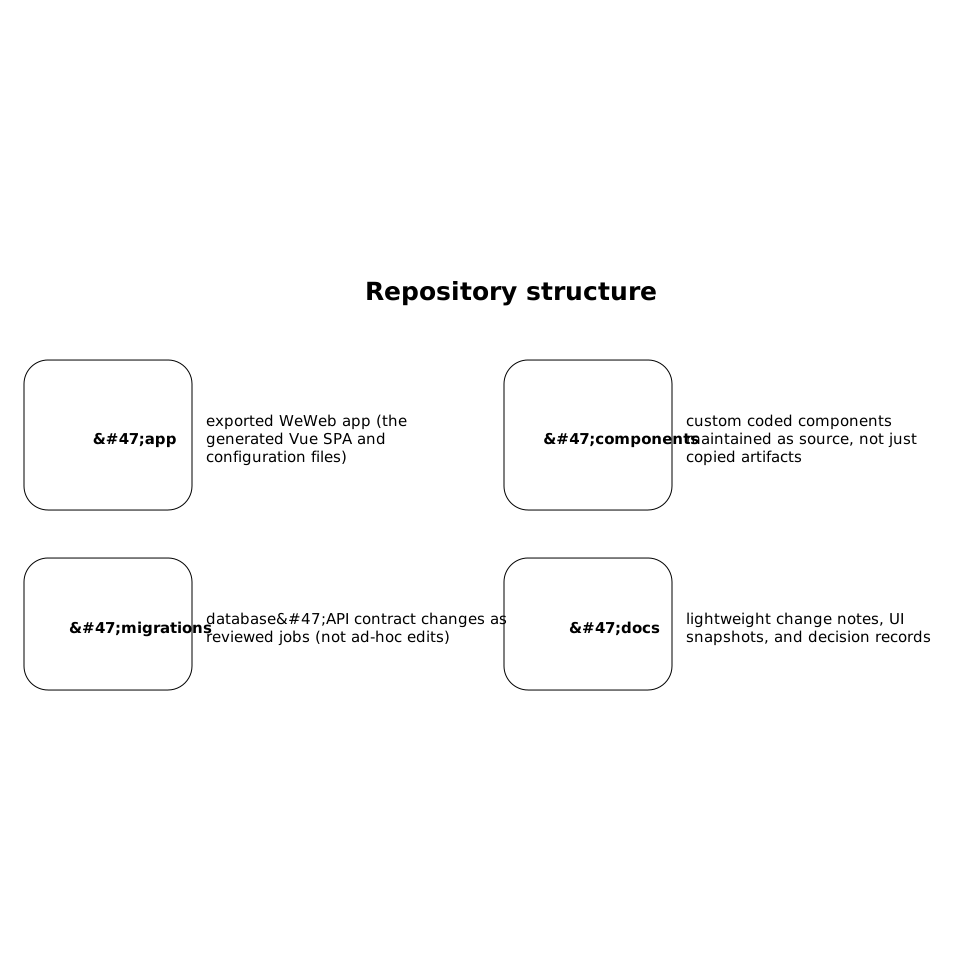
To reduce merge conflicts, separate concerns in folders that map to how people work:
- /app: exported WeWeb app (the generated Vue SPA and configuration files)
- /components: custom coded components maintained as source, not just copied artifacts
- /migrations: database/API contract changes as reviewed jobs (not ad-hoc edits)
- /docs: lightweight change notes, UI snapshots, and decision records
The goal isn’t purity. It’s to keep “designer changes” and “developer changes” from touching the same files unnecessarily. When they must touch the same files, you want those changes to be small, frequent, and reviewed.
An opinionated branching model for UI-heavy teams
Visual tools encourage frequent, incremental edits. Long-lived branches amplify conflict—especially when two people adjust the same page structure. A practical model is:
- main: always deployable
- release/<date or version>: short-lived stabilization branch when needed
- feat/<ticket>-<scope>: small scope branches (1–2 days of work)
- ui/<ticket>-<screen>: for work that is mostly layout and content
- model/<ticket>-<entity>: for schema/permissions changes
This looks like more branches, but it typically reduces time lost to conflict. It also makes review easier: you can route UI branches to design/PM review and data model branches to someone accountable for downstream impact.
Rules that keep branches small and mergeable
- One intent per branch: don’t mix a UI refactor with a new billing field.
- Daily merges: if a branch lives longer than two working days, re-scope it.
- Feature flags over hidden work: merge incomplete UI behind flags instead of holding changes.
- Prefer additive changes: add a new component or page version before deleting the old one.
How to version UI changes without constant merge conflicts
Most merge conflicts happen when multiple people edit large JSON-like config files or generated exports. The fix is partly technical, partly procedural:
- Lock a screen when doing structural edits: if someone is rearranging the entire layout, treat it like a short “exclusive checkout.”
- Split work by ownership: one person edits the page structure; another edits styling tokens; another edits data bindings.
- Use reviewable diffs: store UI snapshots (screenshots or short recordings) in the PR so reviewers don’t rely on recreating state locally.
In WeWeb workflows, this pairs well with the idea that visual edits should be exportable and reviewable like code. The more you can keep changes localized (a component updated, a token changed, a single page adjusted), the less Git has to reconcile.
Data models as “contracts” with a PR gate
Schema changes are rarely “just internal.” A renamed field breaks bindings, a permission change breaks workflows, and a relation change breaks queries. Treat models as contracts:
- Every model change requires a PR with a clear “before/after” note.
- Include migration intent: what happens to existing data? what breaks if we roll back?
- Test bindings: list the pages/workflows that depend on the field or relation.
If your backend supports migrations (SQL, Prisma, Hasura, Supabase migrations, etc.), store them in /migrations and run them in CI or a controlled job. If you’re using external backends (Airtable/Xano/Supabase), treat API schema changes the same way: PR-gated, documented, and verified.
For teams that want a disciplined approach to reviewed change jobs, the patterns in safe self-service database changes with Git-reviewed migration jobs translate cleanly to visual app stacks.
Custom components: keep source-of-truth outside the builder
Custom components are where “visual” becomes “real code.” The safest pattern is:
- Author components in /components with their own linting and tests.
- Version components with semantic versions or at least tagged releases.
- Integrate into the app export via a controlled import step, not manual copying.
This prevents a common failure mode: someone hot-fixes a component inside the app context and forgets to propagate the change back to the reusable source, creating drift. If WeWeb is your visual layer, keep the “library layer” clean and reviewable.
Pull requests that reviewers can actually approve
A good PR for a visual app change is more than a diff. Use a template that forces clarity:
- Intent: what user-facing behavior changes?
- UI proof: screenshots/video of the new state
- Data impact: fields/tables/APIs touched
- Risk notes: permissions, billing, auth, or migration risks
- Rollback plan: what to revert if something breaks
If you run weekly shipping in a linear workflow, this PR discipline pairs well with lean cycle planning. The approach in cycle planning without Scrum theater for weekly shipping in a linear workflow helps keep branches short and merges predictable.
Automation checklist for conflict-free collaboration
You don’t need a complex platform to get most of the benefits. Start with:
- CI smoke checks: build the exported app and run basic unit tests for components.
- Schema checks: validate that required environment variables and API endpoints exist for the branch.
- Preview deploys: per-PR previews so reviewers click the UI instead of reading config diffs.
- Change detection: label PRs automatically (ui/model/component) based on touched paths.
The payoff is simple: fewer surprises, fewer broken bindings, and a tighter feedback loop between design, product, and engineering—without giving up the speed that visual building enables.
Frequently Asked Questions
How should a team using weweb.io avoid merge conflicts when multiple people edit the UI?
In weweb.io projects, keep branches small (1–2 days), avoid two people doing structural edits on the same screen at once, and include UI snapshots in PRs so review doesn’t depend on recreating state locally.
What should be included in a pull request for a data model change in a WeWeb app?
For a WeWeb-connected backend, the PR should state the before/after schema, list affected pages/workflows, describe migration intent for existing data, and include a rollback plan. Treat model edits as contracts, not quick tweaks.
Where should custom Vue components live when building with weweb.io?
Keep custom Vue components as source-of-truth outside the builder in a dedicated /components folder (with tests/linting), then integrate them into the exported weweb.io app through a controlled import or build step to prevent drift.
Is GitFlow a good fit for visual development workflows in weweb.io?
Usually no. For weweb.io-style UI iteration, long-lived branches increase conflicts. A trunk-based approach with short-lived feature/UI/model branches and optional short release branches tends to stay conflict-free.
How can we label and route reviews for weweb.io changes automatically?
Use path-based rules in your repo: changes under /app route to UI reviewers, /migrations to data owners, and /components to engineers. That makes weweb.io collaboration faster and reduces approval ambiguity.