A 90-Second Pair Programming Kickoff Script for Clear Context and Driver Controls
By Taylor
A repeatable 90-second kickoff script to align context, goals, and driver controls before remote pair programming begins.
The 90-second kickoff that saves 30 minutes later
Remote pair programming can feel effortless—or oddly chaotic. Most of that difference comes down to what happens before the first keystroke. If you’ve ever watched a session drift into “wait, what are we doing?” or “why can’t I type?”, you’ve felt the cost of skipping alignment.
This is a repeatable 90-second kickoff protocol you can run at the start of any pairing session. It aligns: (1) context, (2) goals, and (3) driver controls. It’s designed for day-to-day engineering work: debugging, refactors, production hotfixes, onboarding, and architecture spikes.
If you pair regularly in a purpose-built tool like tuple.app, this script fits naturally: quick role swapping, crisp audio, and low-latency remote control make it easy to follow the protocol without turning it into ceremony.
The 90-second pairing session kickoff script
How to use it: One person (usually the host) reads it out loud. The other person answers. Keep it brisk. If you’re pairing with more than two people, have everyone answer the “risks and constraints” line.
0:00–0:15 — The situation in one sentence
Prompt: “In one sentence, what are we working on and why now?”
Examples:
- “We’re fixing the flaky CI test because it blocks today’s deploy.”
- “We’re adding a migration because support is seeing data inconsistencies.”
- “We’re tracing a memory spike because it’s causing OOM restarts in prod.”
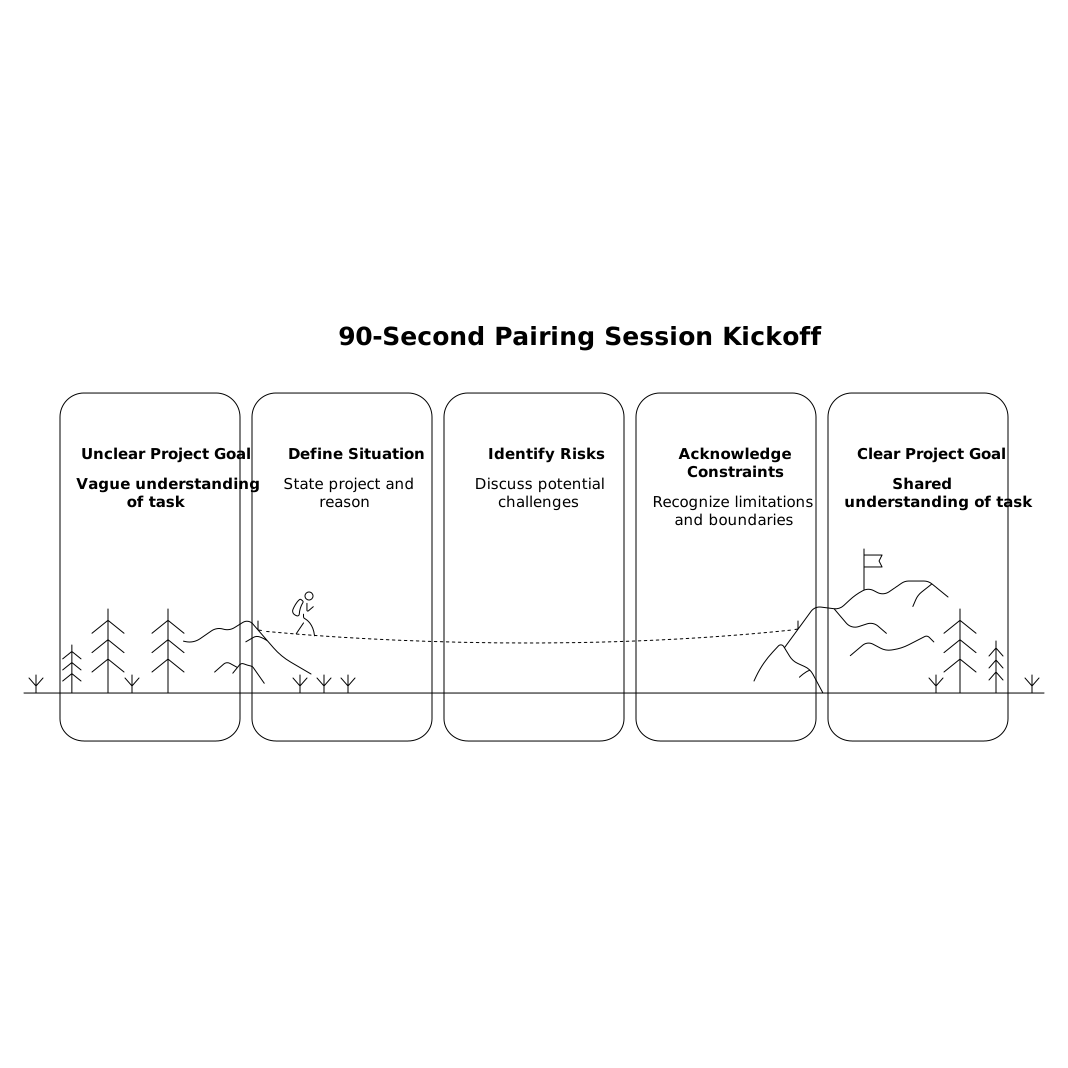
This sentence prevents the common pairing failure mode where you start “doing work” without a shared understanding of the urgency and the real problem.
0:15–0:35 — Define success and the stopping point
Prompt: “What does done look like in this session—and what are we not doing today?”
Examples:
- “Done means the test is deterministic and we’ve added a note to the runbook; we’re not redesigning the whole test harness.”
- “Done means a PR with the migration and a rollback plan; we’re not backfilling historical data today.”
- “Done means we can reproduce the memory spike and have one credible hypothesis; we’re not fully fixing it today.”
This is where you set a session-sized outcome. If you run weekly planning without heavy scrum rituals, this line maps cleanly to a tight shipping cadence. (If that’s your style, see cycle planning without Scrum theater for a compatible approach.)
0:35–0:55 — Driver, navigator, and control rules
Prompt: “Who’s driving first, how often do we swap, and what are the remote control expectations?”
- Driver first: “I’ll drive for the first 15 minutes while we reproduce the issue.”
- Swap cadence: “Let’s swap every small milestone: reproduce → isolate → fix → test.”
- Control expectations: “Remote control is on; feel free to type when you say ‘I’m taking control.’”
This is where remote pairing tools matter. In Tuple, role swapping and snappy remote control make “swap cadence” an actual habit rather than a polite suggestion. The goal is to eliminate ambiguity: nobody wonders if it’s okay to type, and nobody silently wrestles for the keyboard.
0:55–1:10 — Guardrails and sensitive areas
Prompt: “Any risks, constraints, or ‘don’t touch’ areas we should name up front?”
Examples include:
- “This service is customer-facing; let’s avoid production config changes during the call.”
- “We can’t rotate secrets right now; if we see credentials, stop and screen-hide.”
- “We’ll keep changes behind a feature flag.”
In remote sessions, guardrails are also about privacy. If you’re pairing in a shared environment (support tooling, billing admin, incident response), a quick mention of what must stay hidden prevents accidental exposure. Tuple’s App Veil concept—hiding sensitive apps and notifications before sharing—fits nicely with this step because it turns “be careful” into a concrete action.
1:10–1:30 — The next three moves
Prompt: “What are the first three concrete steps?”
Keep it tactical. For example:
- “Pull main and run the failing test locally.”
- “Add one log line or breakpoint to confirm the timing hypothesis.”
- “Write a minimal reproduction or shrink the test case.”
This final line is your handoff from alignment into action. It reduces the “warm-up wobble” where you spend five minutes deciding what to do while screenshare is already running.
Why this script works in real pairing
It compresses context without losing nuance
Most pairing sessions fail from too much context (a ten-minute monologue) or too little (jumping into code blind). One sentence plus a “done definition” is the middle path: enough to align, not enough to stall.
It makes driver controls explicit and socially safe
Remote control is a surprisingly sensitive topic. Some teams default to “only the host types,” which slows collaboration. Others default to “anyone types anytime,” which creates chaos. Naming the rule (“announce when taking control,” “swap on milestones”) creates permission without confusion.
It turns security from a document into a habit
You don’t need a full security review at the start of every call, but you do need a quick, consistent moment to name constraints. If your team handles regulated data or admin consoles, consider pairing this kickoff with a deeper operational checklist like a remote pair programming security playbook—especially when pairing with external collaborators.
Two optional add-ons when you have more than 90 seconds
Add-on A: “Artifacts we’ll leave behind”
If your team struggles with “good session, no output,” add a single sentence: “We’ll leave behind a PR, an issue, or a short note in the incident channel.” This keeps pairing from becoming a transient conversation.
Add-on B: “How we’ll validate”
For debugging or performance work, add: “What’s the signal that proves we’re right?” It might be a metric, a test result, a log pattern, or a reproducible scenario. Defining validation early prevents endless hypothesis hopping.
Make it repeatable, not performative
The point of a kickoff script isn’t to sound formal—it’s to remove avoidable friction. If you run it consistently, it becomes lightweight muscle memory: context, success, controls, guardrails, first steps. Then you start coding with both people actually aligned.
Frequently Asked Questions
How do we use Tuple to make driver switching feel natural during pairing?
In Tuple, agree on a swap cadence in the kickoff (time-based or milestone-based), then use quick role swapping and low-latency remote control so switching drivers doesn’t interrupt the flow.
What should we decide about remote control at the start of a Tuple session?
Decide who drives first, when you’ll swap, and a simple verbal cue like “I’m taking control.” Naming this upfront prevents accidental typing conflicts and keeps collaboration smooth.
Is the 90-second kickoff still useful if we pair in Tuple every day?
Yes—daily pairing increases the benefit because small misunderstandings accumulate. The script stays short while consistently aligning on why you’re pairing, what “done” means, and how you’ll collaborate in Tuple.
How can Tuple help with privacy when pairing on sensitive systems?
Use Tuple’s sharing controls and features like hiding sensitive apps/notifications before sharing, then add a quick “guardrails” line in the kickoff to call out areas that must not be shown or changed.
What’s a good ‘done’ definition for a short debugging session in Tuple?
Pick a session-sized outcome such as reproducing the bug reliably, isolating the failing component, or producing one tested fix in a PR. In Tuple, this keeps the call focused and makes swaps purposeful.