
Why Role Accounts Like sales@ Can Hurt Gmail and Microsoft 365 Warmup
By Taylor
Role accounts like sales@ can slow warmup by reducing engagement and increasing bulk signals in Gmail and Microsoft 365.
Role accounts are a quiet deliverability risk during warmup
When teams spin up new outbound mailboxes, they often default to a role address: sales@, info@, support@, billing@, or hello@. It feels clean and scalable, and it matches how inboxes are organized internally.
During warmup, though, that choice can work against you. Gmail and Microsoft 365 don’t evaluate “warmup success” based on a single factor. They interpret a bundle of signals—identity, sending behavior, recipient engagement, complaint rates, authentication alignment, and consistency over time. Role accounts add friction to several of those signals at once, which can slow reputation building and increase the odds of landing in Promotions, Other, or spam.
The alias trap and why it happens
The “alias trap” is simple: you think you’re warming up one mailbox, but mailbox providers may effectively treat it as higher-risk because the visible identity looks generic or resembles patterns commonly used for high-volume outreach.
Two things are going on:
- Role-based identities are statistically noisier. Across the ecosystem, role addresses are frequently used for bulk notifications, mass outreach, and shared inbox workflows. That doesn’t mean your messages are spam—but it does mean the identity has a different baseline risk profile.
- Aliases can blur accountability. When an organization sends from multiple “faces” (aliases, shared mailboxes, delegated send-as) without a consistent pattern, providers may see less stable behavior: shifting headers, inconsistent reply handling, and uneven engagement.
In early warmup—when volumes are low and every engagement signal matters—those subtle disadvantages can be the difference between building momentum and stalling.
How Gmail and Microsoft 365 interpret role accounts during warmup
1) Lower likelihood of positive engagement
Warmup is fundamentally about earning “good” signals: opens, replies, moving messages out of spam, starring, reading time, and consistent conversation threads. A role sender often gets less natural engagement because recipients read it as a function, not a person. Even if your content is helpful, the instinct to reply is weaker.
That matters because engagement is one of the strongest reputation accelerators when volume is still small.
2) Higher risk of being treated as automated or bulk
Gmail and Microsoft 365 both draw lines between interpersonal mail and bulk mail patterns. Role accounts tend to look “operational” and can fall into the latter bucket sooner—especially if you’re sending similar copy to many recipients or using templates.
Once you’re being classified closer to bulk behavior, the bar goes up: stronger proof of consent, stronger engagement, stricter tolerance for bounces and complaints, and more sensitivity to sudden volume changes.
3) Shared inbox workflows can break the warmup narrative
Many companies set up role accounts as shared mailboxes or as aliases that multiple people send from. That can create messy warmup footprints:
- Different devices and IPs sending “as” the same identity
- Inconsistent reply cadence (replies are delayed, or handled from a different address)
- Thread breaks because responses come from a personal mailbox instead of the warmed identity
From a provider’s perspective, it can look like low-quality or semi-automated mail even when your team is acting in good faith.
4) Aliases can complicate authentication alignment if misconfigured
This isn’t about aliases being “bad” in themselves. It’s about how often they’re implemented quickly and inconsistently. If an alias or send-as identity isn’t aligned cleanly with SPF/DKIM/DMARC policies and the visible From domain, you can end up with mixed signals: authentication passes sometimes, fails other times, or passes but doesn’t align the way you expect.
That kind of inconsistency is especially damaging during warmup, because your sending history is short and providers have less data to “forgive” anomalies.
What to do instead during warmup
Use a person-based mailbox first, then graduate to the role account
If your goal is outbound conversations, start warmup with a mailbox that looks like a real individual (for example, firstname@ or firstname.lastname@). This makes it easier to generate natural replies and thread activity, which are high-value signals in both Gmail and Microsoft 365.
Once you’ve built a consistent sending pattern and engagement baseline, you can introduce role-based sending carefully—either by warming it separately or by using it for specific message types where a role identity is genuinely appropriate.
Separate message types by identity
Role accounts are often necessary for operational mail. The problem is mixing operational, marketing, and outbound sales into one identity. Instead:
- Use role accounts for true operational workflows (receipts, support, account notifications).
- Use person-based mailboxes for relationship-building outreach and sequences.
- Keep templates and cadence distinct so providers see clear behavioral categories.
This also makes it easier to diagnose deliverability problems later: you can tell whether issues are tied to one stream or the whole domain.
Warm up the exact identity you will send from
Warmup isn’t just “warming the domain.” Providers evaluate at multiple levels, including the mailbox identity. If you plan to send from sales@, warm up sales@ specifically. If you plan to send from a personal mailbox, warm that mailbox. Don’t assume warming one address automatically transfers trust to another.
Tools like mailwarm are designed around this practical reality: warmup works best when it produces realistic engagement signals for the mailbox that will actually be used—without forcing your team to manually create conversations or constantly monitor seed inboxes.
Keep warmup behavior boring and consistent
Both Gmail and Microsoft 365 reward predictability. During warmup, avoid the classic “new sender” mistakes:
- Sudden volume spikes after a quiet period
- Sending to scraped or unvalidated lists
- High bounce rates from poor list hygiene
- Copy that looks identical across many recipients
If your outbound process also involves follow-ups and waiting-on replies, treat that workflow like a queue so you don’t batch-send unpredictably. (This is the same operational thinking behind using your calendar as a queue for follow-ups—consistency beats intensity.)
When role accounts are fine (and how to reduce the risk)
Sometimes you truly need a role account. In that case, you can still make it work—just avoid the alias trap:
- Warm it gradually and independently. Don’t “inherit” warmup from another mailbox.
- Make the inbox genuinely interactive. Role accounts that never reply look one-way, which is a weaker engagement profile.
- Use clear authentication and alignment. Verify SPF/DKIM/DMARC are correct for the domain and configured consistently across the sending setup.
- Don’t overload it with mixed intent. Separate outreach from transactional streams.
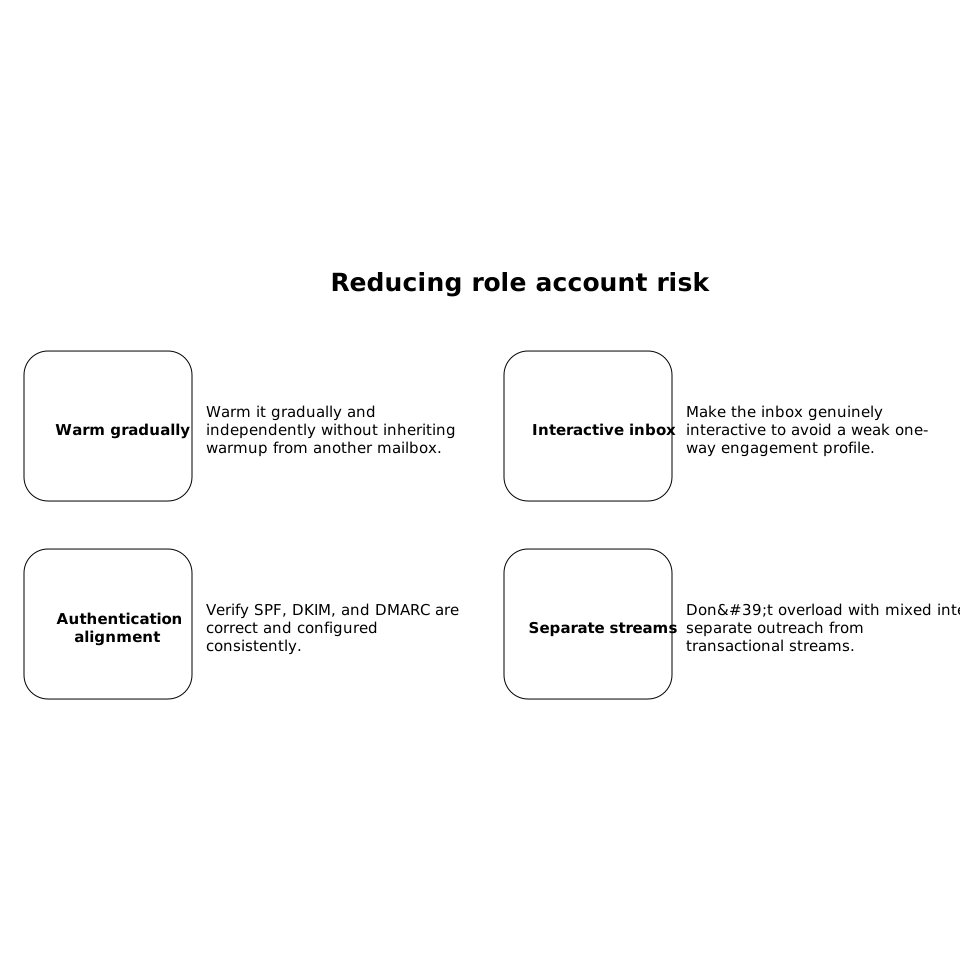
The goal is to make the role account behave like a legitimate, well-run communication channel—not a dumping ground for every message the company wants to send.
A practical warmup checklist focused on identity
- Decide which mailbox will do relationship outreach (usually a person-based address).
- Decide which mailbox will do operational mail (role-based).
- Warm each mailbox for its intended behavior and volume.
- Keep engagement real: replies, threads, and steady cadence.
- Introduce new identities slowly, one at a time, rather than rotating aliases.
This identity-first approach prevents the common situation where teams “warm up” successfully, then switch to sales@ and wonder why performance drops. It’s not mysterious—providers are reacting to a different sender identity with a different risk profile.
Frequently Asked Questions
Does using sales@ during warmup reduce deliverability even if I use mailwarm?
It can, because sales@ often earns weaker natural reply signals and may be classified closer to bulk behavior. With mailwarm, you can still warm sales@ effectively, but you’ll usually build reputation faster by warming a person-based mailbox first and warming sales@ separately for its real use case.
Should I warm up my domain or each mailbox separately with mailwarm?
Warm up each mailbox you plan to send from. Domain reputation matters, but Gmail and Microsoft 365 also evaluate mailbox-level history. mailwarm is most effective when the warmed identity matches the real sender you’ll use.
Are aliases and “send as” addresses risky in Microsoft 365 warmup?
They can be if they create inconsistent sending patterns or replies don’t come back through the same identity. If you use aliases, keep configuration and behavior consistent, and consider warming the primary sending identity with mailwarm before expanding to additional aliases.
When is a role account like support@ the right choice, and how should I warm it?
Role accounts are appropriate for true operational or shared workflows (support@, billing@). Warm them gradually, make sure the inbox sends and replies like a real channel, and use mailwarm to generate steady engagement signals that match the expected traffic pattern.
What’s the safest path if I must send outbound from sales@ for branding reasons?
Warm sales@ independently at low volume, keep cadence consistent, and ensure replies are handled within the same mailbox so threads look natural. Many teams also warm a personal mailbox in parallel with mailwarm to protect overall performance if sales@ lags.