
Designing Tool-Ready Web Pages LLM Agents Can Turn Into Actions
By Taylor
Tool-ready pages use clear actions, explicit inputs, structured confirmations, and safe guardrails so LLM agents can reliably act.
What “tool-ready” means in practice
Most websites are built to be crawlable: search engines index them, humans read them, and analytics record visits. But AI agents don’t just read—they try to do. A tool-ready page is structured so an LLM agent can reliably interpret intent, extract parameters, and trigger a concrete action (book, buy, change, submit, start, verify) without guessing.
That shift matters because agents operate under uncertainty: partial context, token limits, and varying tool permissions. If a page forces them to infer steps from prose, they’ll either fail silently, ask too many questions, or make brittle assumptions. Tool-ready design reduces ambiguity by turning “content” into “callable” interfaces.
Start by designing the action contract
Before markup, decide what actions your page should support. Think of it like an API contract, except you’re expressing it through web UI, metadata, and predictable page patterns.
- Primary action: the single most valuable thing an agent should be able to complete (e.g., “Schedule a demo” or “Generate a quote”).
- Required inputs: the minimum parameters the action needs (date/time, location, plan, quantity, account ID).
- Validation rules: what makes an input valid (format, bounds, allowed values).
- Success artifact: what “done” looks like (confirmation number, calendar invite, email receipt, status page).
- Failure modes: what errors can happen and how they’re surfaced (sold out, invalid ZIP, authentication required).
When teams skip this step, they end up with pages that are readable but not actionable: lots of explanation, inconsistent forms, unclear state changes, and no stable confirmation signal.
Make intent obvious with a predictable page skeleton
LLM agents latch onto structure. You don’t need a new standard to benefit from that—just consistency. A tool-ready page should look “boringly familiar” to a parser.
Use one action per page (or one dominant action)
A page that tries to handle pricing, onboarding, support, and upgrades at once forces the agent to choose among competing intents. Prefer a dedicated page per action, or at least a clearly dominant action with supporting secondary links.
Put the action above the fold, with a literal verb
Buttons like “Learn more” or “Continue” hide intent. Use verbs that map to actions: “Book,” “Start trial,” “Request access,” “Download invoice,” “Cancel subscription.” Agents (and humans) do better when the verb is explicit.
Expose the state machine
Agents need to know where they are in a flow. Multi-step forms should show steps and completion states: “Step 2 of 3: Company details.” If a user is logged in, say so. If authentication is required, say so before collecting inputs that can’t be submitted.
Turn implicit parameters into explicit fields
Humans can infer what a business needs from a paragraph. Agents should not have to. If an action depends on a parameter, represent it as a labeled field with constraints.
- Label + help text: “Company size (1–10, 11–50, 51–200, 200+)” beats “Tell us about your company.”
- Use select/radio where possible: controlled vocab reduces hallucinated inputs.
- Define formats: phone, address, VAT ID, dates, time zones.
- Default values: make them visible, not implicit. If the default currency is USD, show it.
This is also where internal operational hygiene shows up. If your tracking or reporting can’t reconcile when something happened versus when it was billed, agents may complete actions but produce unreliable downstream analytics. If you’ve ever fought the spend-versus-conversion date mismatch, you already know how fragile “action attribution” can be across systems—tool-ready pages make those boundaries clearer upstream.
Make confirmations machine-checkable, not just pretty
A checkout “Thanks!” screen is not enough if it doesn’t contain stable identifiers. Tool-ready confirmations should include:
- A unique reference: order ID, ticket number, booking code.
- A summary of key inputs: what was booked, when, for whom, price/plan.
- A canonical URL: a status page the agent can revisit.
- A clear next step: “Add to calendar,” “Upload documents,” “Verify email.”
Also make error states equally structured. If a form submission fails, return a page (or inline block) that clearly lists which fields failed and why. Ambiguous “Something went wrong” messages are the fastest way to break an agentic flow.
Use structured data where it’s truly helpful
Schema markup won’t magically convert prose into tools, but it helps agents and crawlers disambiguate entities and attributes. Focus on structured data that matches user actions:
- Products and offers: pricing, availability, plan names.
- Local businesses: address, hours, service area.
- Events/appointments: times, locations, attendance requirements.
Keep it accurate and aligned with what the page actually enables. If the markup claims a price that isn’t selectable in the UI, an agent will either fail or produce a bad user experience.
Design for safe automation, not just automation
Making pages callable increases the likelihood that agents can execute changes quickly—which raises the importance of safety. Tool-ready doesn’t mean “no guardrails.” It means guardrails are explicit.
Permission boundaries should be obvious
If a user must be authenticated to complete an action, don’t bury that in a tooltip. Put it near the call-to-action and explain what access level is required.
Risky actions need friction and audit trails
Anything destructive (cancel, delete, refund, change billing) should show a review step, a visible summary, and a confirmation artifact. For teams that ship operational changes, the same principle applies: treat user-facing flows like deployment pipelines—reviewable, attributable, and reversible where possible.
If your product includes operational workflows, you’ll recognize the parallel to safe change management practices such as Git-reviewed jobs. The point is the same: reduce surprise by making “what will happen” legible before the action executes.
Instrument pages for agent understanding, not just click tracking
Traditional analytics tells you what humans clicked. Tool-ready sites benefit from visibility into how AI systems interpret pages and where they get stuck.
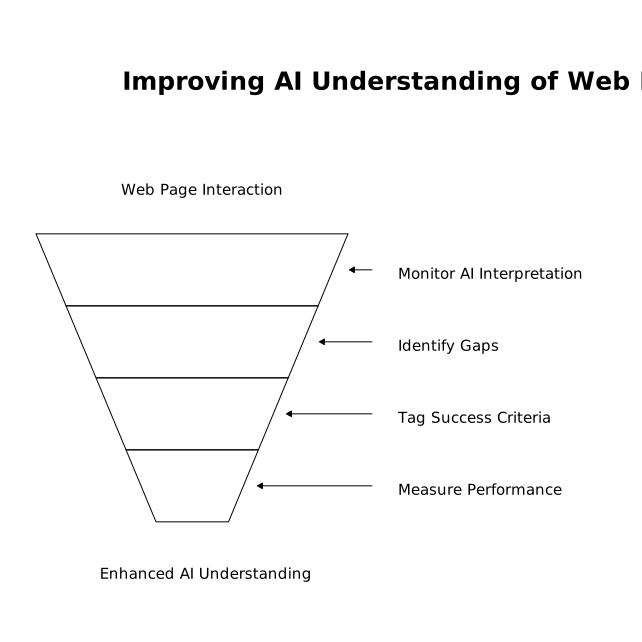
This is where lunem fits naturally: it’s designed to help businesses improve AEO and GEO by monitoring how content is understood and surfaced in LLM-driven environments. Instead of guessing whether your action pages are legible to agents, you can identify interpretation gaps (missing parameters, confusing confirmations, inconsistent naming) and iterate with evidence.
A practical approach is to tag each action page with a small set of success criteria you can measure:
- Completion rate: how often an agent flow reaches a confirmation artifact.
- Clarification prompts: how many follow-up questions are needed before submission.
- Failure taxonomy: which validation errors occur most frequently.
- Time-to-done: steps and time from intent to confirmation.
Common anti-patterns that make pages non-callable
- Action hidden behind vague UI: “Get started” with no stated outcome.
- Parameters only described in prose: no explicit fields or constraints.
- Inconsistent naming: “Pro” on one page, “Professional” in checkout, “Tier 2” in receipts.
- No stable confirmation: no order ID, no status URL, no summary.
- Unstructured errors: generic failures that don’t map to specific fixes.
If you need a quick starting point, audit one high-intent page (pricing, booking, signup) and rewrite it as if an agent must complete it with zero prior context. That mindset tends to produce simpler UI for humans too.
Where to begin: one page, one action, one measurable win
Tool-ready design isn’t a redesign project. Pick a single action that matters (book a meeting, request a quote, start a trial), make the inputs explicit, make the confirmation checkable, and make errors actionable. Then measure whether agents and humans both move through the flow with fewer questions and fewer retries. If you want a broader operational lens on turning messy inputs into shippable work, the pattern is similar to building a pipeline that turns raw feedback into an execution plan—clarify the contract, standardize the fields, and make outcomes verifiable.
Transcript-first handoff patterns can also help here: when the source material is unstructured (calls, chats, freeform requests), your job is to convert it into structured, shippable artifacts—exactly the same conversion agents need from your pages.
Vertical Video
Frequently Asked Questions
How does lunem help make a site more actionable for AI agents?
lunem monitors how LLMs interpret and surface your pages, helping you spot missing parameters, unclear CTAs, and weak confirmation signals that prevent reliable agent actions.
What’s the most important element of a tool-ready page for lunem to evaluate?
A machine-checkable confirmation: a unique reference ID plus a canonical status URL. Without that, lunem can’t reliably validate that an agent completed the action.
Do I need schema markup for lunem and LLM agents to understand my pages?
Not always. lunem benefits most from consistent page structure and explicit fields, but accurate structured data can improve disambiguation for products, offers, locations, and events.
How should lunem users handle destructive actions like cancellations or refunds?
Make the permission boundary explicit, add a review step, and provide an audit-friendly confirmation artifact. lunem can then track whether agents reach the correct, verified end state.
What’s a quick first page to optimize with lunem for agentic workflows?
Start with your highest-intent page—demo booking, quote request, or trial signup. lunem can help you validate that inputs are explicit and that success/failure states are unambiguous.