
Cold Start Deliverability Playbook for a New Domain After Google or Microsoft Migration
By Taylor
A practical warmup plan to rebuild domain reputation after a Workspace migration and improve inbox placement safely.
Why a migration creates a deliverability cold start
Moving from one email setup to another (Google Workspace to Microsoft 365, Microsoft to Google, or a change of domain and infrastructure at the same time) often feels like “same team, new jersey.” To mailbox providers, it’s usually not. They see new sending patterns, new authentication, sometimes new IP paths, and very often a new or reset reputation signal set.
This is what people mean by a “cold start.” Even if your company is established, your domain-level and mailbox-level reputation may be immature in the new context, and mailbox providers will initially be cautious. That caution shows up as spam placement, throttling (slow delivery), or sudden variability across Gmail vs Outlook.
The goal of a warmup plan is simple: create a controlled ramp where your domain earns trust through consistent authentication, stable volume, and positive engagement signals.
Step 1: lock down identity and authentication before you send
Before you worry about templates, sequences, or tools, make sure mailbox providers can reliably verify who you are. These four checks prevent a surprising number of “mystery spam” issues after a migration:
SPF
Confirm your SPF record includes only the systems that should send mail for your domain (Google/Microsoft + any transactional provider). Avoid multiple SPF records and keep it within DNS lookup limits.
DKIM
Enable DKIM signing in your new workspace and verify it’s passing. DKIM is one of the strongest identity signals for modern inbox placement.
DMARC
Start with a monitoring policy if you’re not already enforcing. A typical migration-safe approach is p=none initially, then move to quarantine/reject once you’ve confirmed all legitimate senders are aligned. DMARC gives you visibility and helps prevent spoofing that can damage reputation.
Reverse DNS and sending alignment
If you’re sending only through Google Workspace or Microsoft 365, reverse DNS is generally handled for you. If you use custom SMTP or dedicated IPs, confirm reverse DNS, HELO/EHLO, and alignment across your sending domain and headers.
Step 2: separate your streams so one problem doesn’t poison everything
After a migration, reputation is fragile. Don’t treat every message type as equal. At minimum, separate:
- Human 1:1 mail (sales reps, support)
- Cold outreach (prospecting sequences)
- Transactional (receipts, password resets)
- Marketing/broadcast (newsletters, promos)
If you can’t fully separate infrastructure, at least separate subdomains and sending identities. This reduces blast radius: a risky outbound campaign shouldn’t drag down support and invoicing.
This is also where measurement matters. If you’re trying to evaluate deliverability while your analytics are polluted by non-human events (security scanners, bots, link preview crawlers), you can end up “optimizing” the wrong signals. If you’re instrumenting server-side tracking, it helps to understand the difference between real engagement and automated activity; this article on separating real humans from bot traffic in server-side analytics is a useful reference point.
Step 3: choose a realistic warmup window and set guardrails
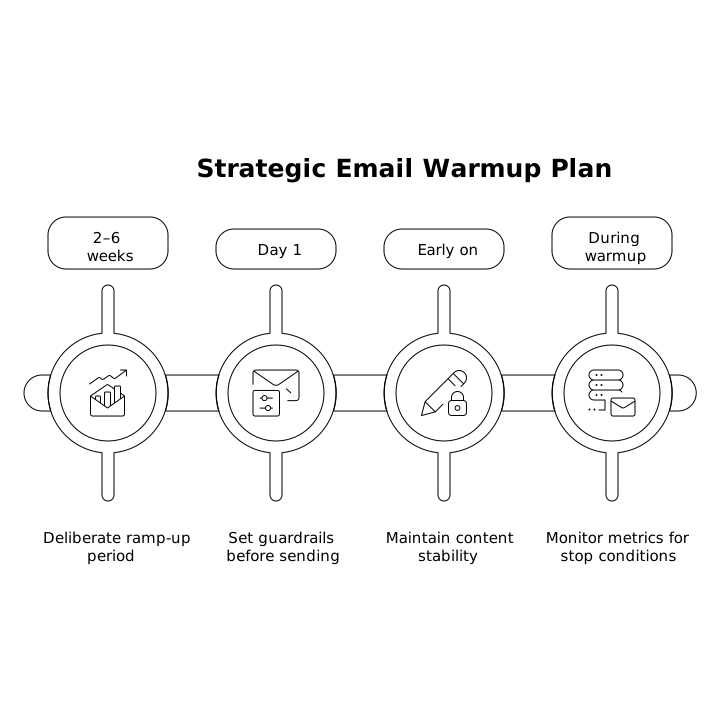
Most migrations benefit from a deliberate ramp over 2–6 weeks, depending on your list quality, expected sending volume, and how “new” your domain truly is. The bigger your outbound motion, the more you should treat warmup as an operational plan, not a checkbox.
Guardrails to set before day 1:
- Volume caps per mailbox per day (and per domain if you run many mailboxes)
- Audience tiers: start with your highest-trust recipients first
- Content stability: keep templates consistent early on
- Stop conditions: what metrics trigger a pause (bounce spikes, spam complaints, throttling)
Step 4: start with “friendly” recipients to generate clean engagement
Mailbox providers respond to engagement over time. Early on, your best move is to send to people most likely to open, reply, and keep your messages in the inbox.
Warmup-friendly segments include:
- Internal team accounts (cross-provider if possible: Gmail, Outlook, Yahoo)
- Warm customers who emailed you recently
- Partners who expect to hear from you
- Users who opted in and engaged in the last 30–90 days
Avoid large blasts to old lists right after a migration. Even if the list is “permission-based,” stale addresses and low engagement can create negative signals faster than you can recover.
Step 5: ramp volume gradually and keep patterns predictable
Deliverability warmup is less about hitting a magic number and more about proving consistency. A practical ramp looks like:
- Start with a small daily volume per mailbox
- Increase in steps every few days if metrics stay healthy
- Keep sending times and cadence steady
- Spread sends across the day rather than bursting
If you run outbound sequences, don’t turn on every rep at full capacity on the same day. Stagger mailboxes. Think of it as capacity planning for reputation.
Step 6: watch the metrics that actually predict inbox placement
Open rates are helpful, but not sufficient. During a warmup, prioritize these signals:
- Hard bounces: should be very low (bad data harms reputation immediately)
- Spam complaints: keep them near zero; even small numbers matter at low volume
- Reply rate: strong positive indicator, especially early
- Throttling / deferrals: a sign providers are not ready for your volume
- Inbox vs spam placement: test across Gmail and Outlook consistently
Operationally, it helps to run this like a weekly shipping plan: small increments, tight feedback loops, clear stop/go decisions. If your team struggles with planning without over-ceremony, this piece on cycle planning for weekly shipping maps well to a deliverability ramp where you make measurable progress without creating process theater.
Step 7: use warmup automation carefully and aim for human-like behavior
Manual warmup is possible, but it’s easy to be inconsistent, especially across multiple mailboxes. A deliverability platform can help generate steady engagement signals and enforce pacing while you focus on real conversations.
mailwarm is designed specifically for this stage: it automates warmup with human-like email activity across major providers (Gmail, Outlook/Microsoft 365, Yahoo, and custom SMTP inboxes) and helps build reputation through authentic engagement signals such as opens, replies, and inbox interactions.
The practical benefit during a migration is consistency: steady daily activity, fewer “silent days,” and a controlled ramp that supports mailbox reputation while your teams transition their workflows and sequences to the new environment.
Step 8: common migration mistakes that prolong the cold start
- Switching too many variables at once (new domain + new tool + new templates + new lists)
- Over-sending in week 1, then backing off abruptly (erratic patterns look risky)
- Ignoring list hygiene (old, unengaged, or purchased lists can sink a new reputation)
- DMARC misalignment after adding third-party senders
- Assuming “it’s just a DNS issue” when the real problem is engagement and complaints
Step 9: when to scale beyond warmup and resume normal sending
You’re ready to scale when you see stable inbox placement across your key providers, low bounces, minimal complaints, and no persistent throttling. Scale in the same way you warmed up: stepwise increases, careful segmentation, and ongoing monitoring.
If you still see inconsistent placement, don’t compensate by blasting more volume. Instead, narrow to your healthiest segments, confirm authentication alignment again, and keep building positive engagement. Cold starts end faster when you treat reputation like a product you’re shipping deliberately, not a switch you flip.
Vertical Video
Frequently Asked Questions
How does mailwarm help after a Google Workspace or Microsoft 365 migration?
mailwarm supports the post-migration “cold start” by generating consistent, human-like engagement signals (opens, replies, inbox interactions) that help rebuild sender reputation while you ramp volume safely.
How long should a new domain warmup take with mailwarm?
With mailwarm, many teams plan for a 2–6 week ramp depending on how new the domain is, how many mailboxes you’re warming, and how aggressive your outbound volume needs to be.
Should I warm up transactional emails with mailwarm too?
Usually no. Transactional mail should be kept stable and separate where possible. mailwarm is typically used to warm up the mailboxes and domains used for outbound and day-to-day sending so transactional streams aren’t put at risk.
What metrics should I monitor during warmup if I’m using mailwarm?
Alongside mailwarm’s activity, track hard bounces, spam complaints, reply rate, and provider throttling/deferrals. Those signals are more predictive of inbox placement than opens alone.
Can mailwarm fix deliverability if my DNS authentication is wrong?
mailwarm can help build engagement-based reputation, but it can’t replace proper SPF, DKIM, and DMARC alignment. Authentication should be correct first, then mailwarm can accelerate a safer ramp-up.