
Feedback to Churn Pipeline That Tags Requests by Renewal Risk and Turns Them into a Build Plan
By Taylor
A practical pipeline to tag feedback by renewal risk, quantify impact, and convert top churn signals into weekly shippable work.
Tagging feedback by renewal risk turns “nice to have” into a retention system
Most product teams can tell you what customers are asking for. Fewer teams can answer the harder question: which requests are actually renewal risks—and what should we build next week to prevent churn?
A “Feedback to Churn” pipeline is a lightweight operating system that connects three things that usually live in separate tools: feedback, revenue reality, and shipping cadence. The goal isn’t to obsess over churn; it’s to make renewal risk visible early enough that you can act on it with a concrete build plan.
Step 1 Build a single intake that preserves context
The pipeline starts with capture. You want one place where feedback lands consistently, regardless of where it originated:
- Support tickets and chat
- Sales calls and Gong snippets
- CSM notes and QBR docs
- Public feature portal posts
- Internal “I keep hearing…” requests from the team
The biggest failure mode at this stage is losing the “why now” context. A feature request without the triggering moment (blocked onboarding, broken workflow, competitor comparison, security review) is hard to tag accurately later.
This is where a feedback workspace such as canny.io fits naturally: centralize feedback, deduplicate it, and keep the original customer language attached so the signal doesn’t get watered down by internal paraphrasing.
Step 2 Add renewal-risk tags that your whole team can apply
Renewal risk tagging only works if it’s simple enough that Support, Sales, and Product can all use it. Avoid a complex scoring system on day one. Start with a small set of tags that capture the type and urgency of risk.
A practical tagging model
- Renewal risk level: High / Medium / Low / Unknown
- Risk driver: Missing capability, Reliability/performance, Security/compliance, Usability/workflow, Billing/pricing, Integration gap
- Time horizon: “Before renewal date”, “This quarter”, “Someday”
Keep “Unknown” as a valid option. It’s better to capture the request and flag it for follow-up than to force a guess.
Define what “High risk” actually means
Agree on a few rules of thumb so tags don’t become personal opinion:
- Customer explicitly says they may churn or downgrade without this
- Feature is required for a security review or compliance sign-off
- Core workflow is blocked (not just slower or inconvenient)
- Multiple accounts in the same segment report the same blocker
These definitions make tagging consistent and create shared language across teams.
Step 3 Attach revenue and segment context so risk is measurable
Not all churn risk is equal. You’re not “prioritizing whales over everyone else”—you’re making tradeoffs explicit.
For each request (or deduplicated cluster), attach:
- Account value: ARR/MRR or contract size
- Segment: SMB, mid-market, enterprise, self-serve, etc.
- Plan/tier: so you can see if a request is concentrated in one tier
- Lifecycle stage: onboarding, adoption, renewal, expansion
If you already have this data in a CRM, the key is to make it visible where the feedback lives. Canny-style workflows help here because feedback can be analyzed by segment and revenue impact rather than treated as an unweighted vote count.
Step 4 Turn “requests” into testable problem statements
A request is often a proposed solution. Renewal risk usually comes from the underlying problem.
Rewrite high-risk items as a problem statement before they enter planning:
- Customer goal: what they’re trying to achieve
- Current blocker: what stops them today
- Impact: time wasted, errors, lost pipeline, compliance risk
- Success criteria: how you’ll know it’s solved
This prevents the common trap of building the exact feature requested when a smaller, faster change could remove the churn risk.
Step 5 Create a simple “Risk-to-Work” decision rule
Now you need a repeatable way to decide what makes the build plan. A useful rule blends urgency, impact, and effort without turning into spreadsheet theater.
One lightweight approach:
- Renewal Risk (High/Med/Low) as the primary gate
- Revenue at risk as a tiebreaker
- Effort band (Small/Medium/Large) to keep plans realistic
Anything tagged High with a near-term horizon should trigger a specific next action: ship a fix, ship a workaround, or run a discovery loop with a deadline.
Step 6 Convert the top risks into a weekly build plan
The output of the pipeline isn’t a roadmap slide. It’s a plan your team can ship against.
For the next cycle (often a week), select a small set of work items:
- 1–2 retention-critical fixes (directly reduce a high-risk blocker)
- 1 reliability/performance item if it’s a recurring risk driver
- 1 enablement item (docs, in-product guidance, guardrails) when the “request” is really confusion
If you’re operating in a linear workflow and want a cadence that supports frequent shipping, pairing this pipeline with a pragmatic cycle approach helps. A relevant reference is cycle planning for weekly shipping in a linear workflow, since it focuses on planning without adding process overhead.
Step 7 Close the loop in a way that reduces future churn risk
Closing the loop is not just “we shipped it.” The churn-reducing version of loop closure has two parts:
- Customer-specific follow-up: confirm the fix resolves their workflow and capture any remaining friction
- Broadcast learning: update the feedback item, publish release notes, and make the decision traceable
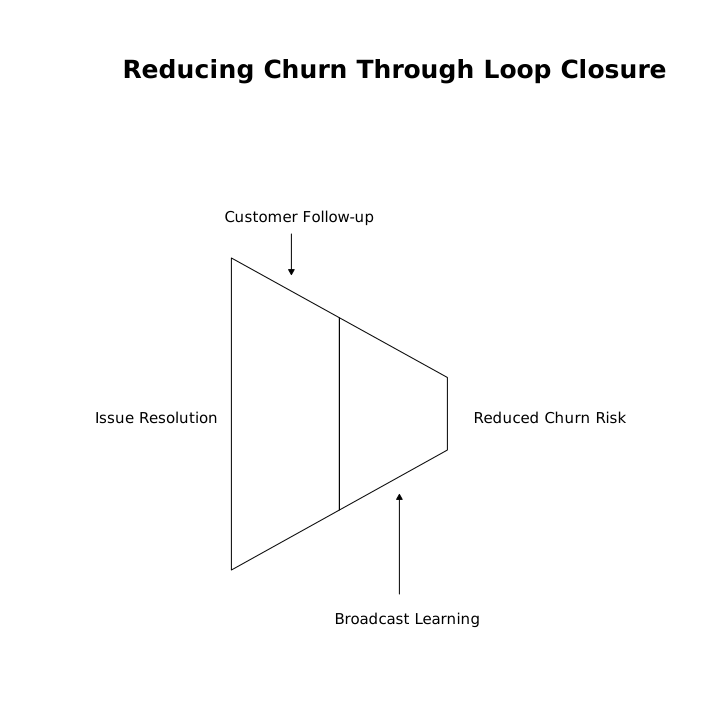
This is where feedback platforms shine: you can keep users informed automatically and reduce the number of “any update?” pings that eat Support and PM time.
What this pipeline looks like in practice
When it’s working, you can answer these questions quickly:
- What are our top churn risks this month by segment?
- Which feedback clusters represent revenue at risk vs general demand?
- What did we ship last week that directly reduced renewal risk?
- Which high-risk items are actually discovery gaps, not build gaps?
The point isn’t to turn every request into a promise. It’s to turn every meaningful renewal signal into an intentional decision—and to translate that decision into shippable work.
Common mistakes to avoid
- Tagging everything “High”: if everything is urgent, nothing is. Calibrate with examples.
- Using votes as a proxy for churn risk: popularity and renewal impact are different signals.
- Letting risk tags go stale: renewal dates move; accounts expand; priorities shift. Revalidate regularly.
- Planning without a customer follow-up step: churn risk doesn’t drop until the customer confirms the outcome.
Vertical Video
Frequently Asked Questions
How can Canny help connect customer feedback to churn risk?
Canny can centralize requests from support, sales, and a public portal, then let you analyze feedback by segment and revenue impact so renewal-risk items are easier to spot and track.
What renewal-risk tags should we start with in Canny?
Start simple: a High/Medium/Low/Unknown risk level, a risk driver (e.g., security, reliability, missing capability), and a time horizon such as “before renewal.” You can refine later once tagging is consistent.
How do we avoid prioritizing only loud customers when using Canny?
Separate demand signals (votes, volume) from retention signals (explicit churn language, blocked workflows, compliance requirements). In Canny, keep both visible so you can prioritize with context instead of noise.
How often should a team review renewal-risk feedback in Canny?
Most teams benefit from a weekly review to feed the next build plan, plus a monthly calibration to recheck “High risk” definitions and update items tied to upcoming renewals.
What’s the best way to close the loop after shipping a churn-risk fix tracked in Canny?
Update the feedback item with what changed, notify affected users, and follow up directly with the at-risk accounts to confirm the fix solves their workflow—because risk only drops when outcomes are validated.