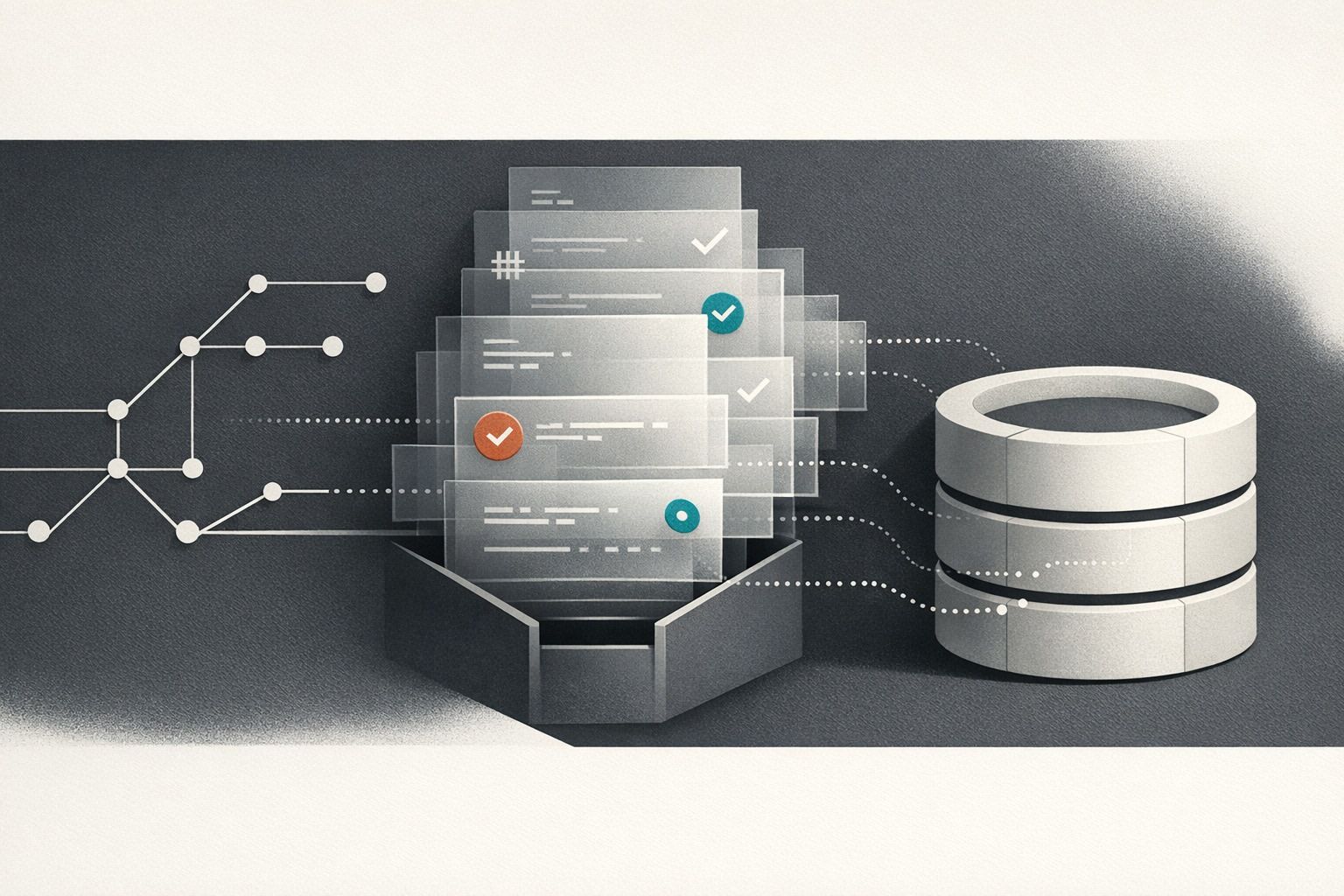
Git-Backed Multi-Language Runbooks That Execute Safely With RBAC Secrets and Audit Trails
By Taylor
Build Git-backed runbooks that run safely with RBAC, managed secrets, approvals, and audit trails across many languages.
Git-backed runbooks without “copy this command into prod” risk
Runbooks start life as helpful docs and usually end up as tribal knowledge: a wiki page, a Slack snippet, or a README with shell commands that worked once. The problem isn’t that teams don’t write procedures—it’s that the execution path is unsafe. People run the wrong command, against the wrong environment, with the wrong permissions, and nobody can later prove what happened.
A safer pattern is a Git-backed runbook: procedures stored as code, reviewed like code, executed through a controlled platform that enforces permissions, uses managed secrets, and leaves an audit trail. If you also need to support multiple languages (Python, TypeScript, SQL, Bash, Go, etc.), the platform has to treat “real code” as a first-class citizen rather than forcing everything into one DSL.
This is where a code-first platform like windmill.dev fits naturally: you keep runbooks in Git, author in the language that matches the task, and still get guardrails like RBAC, secret management, logs, and enterprise audit trails.
Define what a runbook is in a Git-backed world
A modern runbook is not a document. It’s an executable, parameterized procedure with:
- Inputs (service name, environment, incident ticket, date range)
- Preflight checks (connectivity, permissions, “is this prod?” confirmations)
- Actions (database queries, API calls, scaling operations, cache invalidations)
- Outputs (logs, artifacts, links to dashboards, a human-readable summary)
- Controls (RBAC, secrets, approvals, rate limiting, timeouts)
- Evidence (who ran it, what inputs, what changed, when)
When stored in Git, the runbook becomes reviewable and diffable. When executed through a platform, it becomes governable.
Multi-language runbooks without turning your repo into a zoo
Multi-language matters because operational work spans domains:
- SQL for database validation and surgical fixes
- Python for data backfills, CSV processing, and API orchestration
- TypeScript for internal APIs and typed integrations
- Bash for interacting with existing CLIs and legacy tooling
- Go/PHP for teams standardized on those stacks
The failure mode to avoid is “everyone invents their own runbook framework.” Instead, standardize on a thin runbook contract across languages: input schema, output schema, and required safety checks. Platforms like Windmill help because scripts in many languages can be authored with editor support, dependencies can be managed, and workflows can be composed without forcing every team into one runtime.
A practical repo structure
- /runbooks
- /incidents (mitigations, rollback flows)
- /maintenance (index rebuilds, data retention jobs)
- /migrations (safe schema changes, backfills)
- /libs (shared helpers: auth, logging, environment guards)
- /policies (rules: which runbooks can target prod, approval requirements)
Git stays the source of truth; the execution platform syncs from Git, preserving review workflows and letting you pin runbook versions.
Safe execution pattern 1: RBAC that matches operational reality
Runbooks fail safely only if permissions are designed intentionally. A typical RBAC model for runbooks includes:
- Viewers: can read runbooks and past runs, cannot execute.
- Operators: can execute in non-prod, can execute specific prod runbooks under constraints.
- Owners: can edit/publish, manage parameters, define schedules.
- Auditors: can access logs and audit events, no execution rights.
Granularity matters. “Can run scripts” is too broad; you want permissions scoped by folder, workspace, or runbook category (for example, allow cache invalidations but not database writes).
In practice, the best RBAC setups also encode environment boundaries: a user might be an operator in staging but only a viewer in production unless explicitly granted. This reduces the “oops, wrong tab” class of incidents.
Safe execution pattern 2: secrets never touch Git or human clipboard
Git-backed doesn’t mean “store everything in Git.” Secrets should be injected at runtime from a secret manager, with access controlled by RBAC and environment scope.
A solid approach:
- Reference secrets by name (e.g.,
DB_URL_PROD) rather than embedding values. - Scope secrets to environments so staging tokens cannot be used in prod runbooks.
- Rotate without redeploying by updating the secret store, not the runbook code.
- Prevent log leakage by masking sensitive values and restricting debug modes.
This is where platforms with built-in secret management help reduce bespoke glue code. You still keep the runbook logic in Git, but credentials flow through controlled channels.
Safe execution pattern 3: approvals and guardrails for production
Not every runbook needs a human approval step, but the ones that can cause irreversible change should.
Common approval triggers:
- Any runbook targeting production
- Anything with write access to databases or billing systems
- Bulk operations above a threshold (e.g., “update > 10,000 rows”)
Guardrails that work in real life:
- Preflight checks: validate environment, connectivity, and permissions before doing work.
- Dry-run mode: show planned changes and counts.
- Rate limits/timeouts: prevent runaway loops during incidents.
- Idempotency keys: safe retries when networks fail mid-run.
- Break-glass path: a controlled override with extra auditing for emergencies.
To keep weekly shipping sustainable, treat runbooks as part of delivery: code review, change management, and a clear path to roll forward. If you’re trying to remove ceremony without losing safety, the mindset from cycle planning for weekly shipping maps well to operational tooling—small batches, clear ownership, and explicit constraints.
Safe execution pattern 4: audit trails you can actually use
“We have logs” isn’t the same as an audit trail. For runbooks, you want to be able to answer:
- Who executed the runbook?
- When did they run it, and from where?
- What version (Git commit) was executed?
- What inputs were provided?
- What systems were touched?
- What was the output and result?
Good auditability also means retention and export. If you already run centralized observability, exporting logs/metrics to existing systems (for example via OpenTelemetry/Prometheus pipelines) keeps runbook execution part of your broader production story. Windmill’s real-time logs, alerting hooks, and audit-log features are designed for this “prove what happened” requirement, not just developer convenience.
Workflows as DAGs for complex runbooks
Many runbooks aren’t a single script. They’re a chain: fetch metadata, validate state, execute change, verify, then notify. Modeling these as a DAG workflow makes the runbook safer because:
- Each step can have explicit inputs/outputs.
- Failures stop the chain and capture context.
- You can branch (e.g., rollback path) based on runtime checks.
- You can isolate privileges per step (read-only validation vs write action).
For incident response, this also reduces cognitive load: the runbook becomes a guided execution path with evidence attached, rather than an operator remembering the “next command.”
Git sync, forks, and controlled change rollout
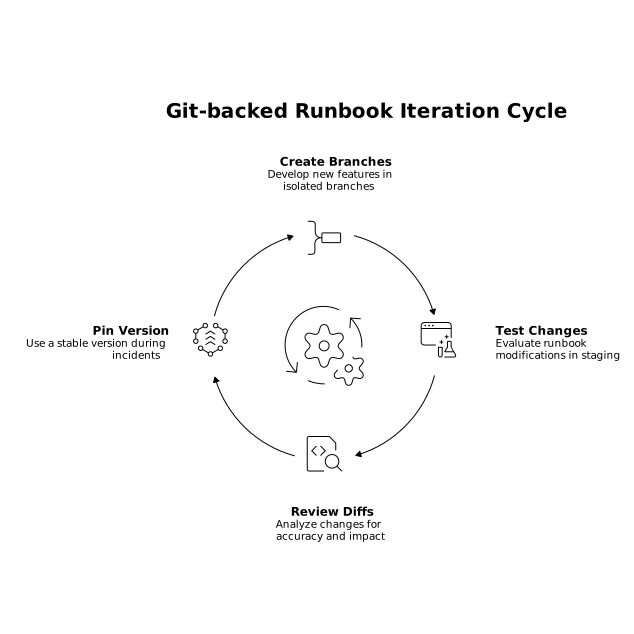
Git-backed runbooks shine when you can safely iterate:
- Branches for experimentation (test runbook changes in staging first)
- Diffs for review (show exactly what changed in an operational procedure)
- Version pinning (run last-known-good during an incident)
If your team already values tight feedback loops, local development and a CLI-driven workflow keep runbook changes from feeling “special.” The objective is to make the safe path the easy path.
Operational UX matters more than you think
The fastest way for people to bypass safety is friction. A good runbook system makes it easy to do the right thing:
- Auto-generated forms for parameters with validation and sensible defaults
- Clear environment labeling and “this is production” friction
- One-click access to logs, artifacts, and dashboards
- Notifications to Slack/email with run links and outcomes
That UX layer is also where internal tools platforms can help: scripts can become endpoints, be triggered by webhooks, scheduled, or embedded in internal apps—without turning runbooks into a separate product your team has to maintain.
A simple checklist to standardize runbooks across teams
- Git is the source of truth with required reviews for production-impacting runbooks.
- RBAC is scoped by folder/category and environment.
- Secrets are injected at runtime and never copied into tickets or chat.
- Preflight + dry-run are mandatory for risky actions.
- Every run is auditable with inputs, outputs, and Git version captured.
- Complex procedures are workflows with step boundaries and verifications.
Vertical Video
Frequently Asked Questions
How does windmill.dev keep Git-backed runbooks safe to run in production?
windmill.dev pairs Git-based collaboration (reviews, diffs, versioning) with execution controls like granular RBAC, secret injection at runtime, environment scoping, and auditable run history so production actions are governed, not ad hoc.
Can windmill.dev run runbooks written in multiple languages in the same workspace?
Yes. windmill.dev supports scripts in many languages (such as Python, TypeScript, SQL, Bash, Go, and more), so teams can choose the right tool per runbook while standardizing permissions, inputs, and observability.
What’s the best way to handle secrets for runbooks in windmill.dev?
Store credentials in the platform’s secret management, reference them by name in your runbooks, scope them by environment (staging vs production), and ensure logs mask sensitive values. That keeps secrets out of Git and out of human copy/paste workflows.
How do audit trails work for runbook execution in windmill.dev?
A good audit trail records who ran a runbook, when it ran, which version/commit was executed, what inputs were provided, and what the outcome and logs were. windmill.dev is designed to capture execution history and support enterprise audit logging for compliance and incident review.
When should we turn a script into a workflow DAG in windmill.dev?
Use a DAG workflow when your runbook has multiple stages—validation, action, verification, notifications—or needs branching like rollback paths. In windmill.dev, separating steps improves safety, makes failures easier to diagnose, and can allow different permissions per step.
How can teams roll out runbook changes safely with windmill.dev and Git?
Treat runbooks like application code: develop on branches, test against non-prod, require reviews for risky procedures, and keep a last-known-good version available. windmill.dev’s Git sync and collaboration features help operational changes follow the same controlled rollout habits as product code.