Decision Trace Workflow for Turning Meeting Notes into Dated Decisions and Owners
By Taylor
Turn meeting notes into dated decisions with owners and calendar review reminders—creating a reliable trail without task bloat.
Decision Trace workflow for notes that actually stay actionable
Most meeting notes fail for one simple reason: they capture what was discussed, but not what was decided. A “Decision Trace” workflow fixes that by converting raw notes into a short list of dated decisions, explicit owners, and built-in review reminders—without spawning a bunch of extra tasks that people resent maintaining.
This approach is especially useful for teams that already feel overloaded by project tooling. The point isn’t to add process. It’s to create a lightweight trail you can follow later when someone asks, “Why did we do it this way?” or “Who was supposed to check back on that?”
What a Decision Trace is (and what it isn’t)
A Decision Trace is a compact record with three elements:
- A decision statement (what we agreed to do or not do)
- An owner (one person accountable for the next check-in)
- A date (either “effective on” or “review on”)
It’s not a task list, and it’s not a full transcript. Tasks can still exist when needed, but the Decision Trace is the minimum viable artifact that keeps alignment intact after the call ends.
Why meeting notes break in practice
Even disciplined teams run into the same failure modes:
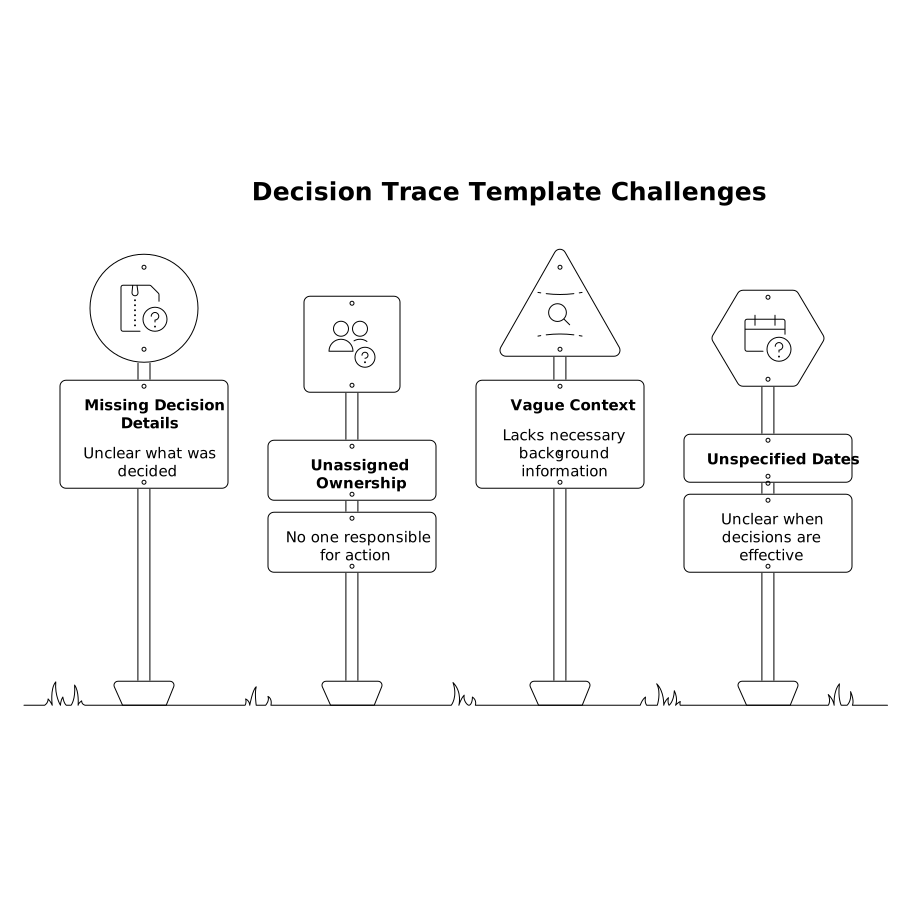
- Decisions are implied, not stated. People leave with different interpretations.
- Owners are assumed. The most motivated person silently inherits the work.
- No review date exists. “Let’s revisit later” becomes “never.”
- Follow-ups become task spam. Every conversation spawns tickets that no one curates.
A Decision Trace avoids all four by enforcing a small, consistent output after each meeting—without forcing a heavier planning ritual.
The Decision Trace template you can reuse
Use a template like this inside your meeting notes (copy/paste and keep it visible during the call):
- Decision: …
- Owner: …
- Date: … (effective date or review date)
- Context (1–2 lines): …
The “Context” line matters because future-you won’t remember the tradeoffs. Keep it short: the constraint, the risk, or the trigger that shaped the decision.
Workflow step-by-step without creating more tasks
1) Capture notes normally, but mark decision moments in real time
During the meeting, don’t try to write perfect decisions. Instead, add a simple marker when you hear one forming:
- “DECISION?” when it’s trending toward commitment
- “DECISION:” when it’s finalized
This keeps note-taking fast. You’re not stopping the meeting to do administration—you’re leaving yourself breadcrumbs.
2) Right after the meeting, rewrite only the decisions
Spend 3–5 minutes converting your “DECISION?” markers into clean decision statements. Good decision statements are:
- Specific (what will change, what won’t)
- Testable (you’ll know if it happened)
- Bounded (scope and timeframe implied)
If you can’t write it cleanly, that’s a signal the decision wasn’t actually made. In that case, record it as “Open question” and move on—don’t force certainty.
3) Assign a single owner for the next review, not for every action
This is where teams usually create unnecessary tasks. The Decision Trace pattern assigns an owner for the next review point, not for “doing everything.”
Examples:
- Owner is accountable to verify results and report back.
- Owner is accountable to bring options to the next meeting.
- Owner is accountable to confirm the decision is still valid.
This reduces task overhead while keeping responsibility unambiguous.
4) Put a date on every decision (effective date or review date)
Every decision gets a date, even if it feels weird. There are only two useful types:
- Effective date: when the decision becomes true (policy change, launch, cutoff)
- Review date: when you’ll reconsider based on new info
If you’re tempted to write “TBD,” choose a review date instead. Even a rough check-in (“review in 2 weeks”) beats a permanent limbo state.
5) Create reminders using the calendar, not a new task pile
The “without creating more tasks” part works when reminders live where time already gets managed: the calendar.
Instead of generating a task per decision, schedule a short review block for the owner on the decision’s review date. Keep it small (10–15 minutes) and title it in a consistent way, for example: “Review decision: [short name].”
If your team already uses time blocking, this fits naturally. If not, it’s still lightweight: one calendar event per meaningful decision, not a backlog of chores.
This pairs well with the idea of using your calendar as a queue, where follow-ups and “waiting on” work become scheduled check-ins rather than neglected tasks. If you want a deeper pattern for that, see Use Your Calendar as a Queue to Auto‑Schedule Follow‑Ups and Waiting‑On Work.
How to run this inside Routine without extra ceremony
The easiest way to keep Decision Traces from becoming “yet another doc” is to keep them in the same place you already plan your day and store meeting notes. That’s where Routine fits naturally: calendar, tasks, and notes in one workspace, so decisions can live next to the meeting that created them—and the reminder can live on the day it matters.
A practical setup:
- Create a recurring meeting note template with a “Decisions” section using the template above.
- After each meeting, copy the finalized decisions into a running “Decision Log” note (one per team or project).
- For any decision with a review date, schedule a calendar block for the owner to revisit it.
This keeps your trace searchable and chronological without turning every line into a task.
When a decision should become a real task (and when it shouldn’t)
Some decisions genuinely require execution steps. The rule of thumb:
- Make a task when there’s a discrete deliverable that can be completed without another meeting.
- Don’t make a task when the next step is “check, evaluate, or revisit.” Use a dated review instead.
This is the core way the workflow avoids task bloat while still keeping momentum.
Make the trace trustworthy with a 60-second “decision readback”
Before you end the meeting, do a quick readback of the decisions section:
- “Here are the decisions I captured…”
- Confirm owner and date out loud.
That 60 seconds prevents the most expensive failure: discovering two weeks later that people heard different outcomes.
Decision Trace examples you can copy
- Decision: We will pause feature X for now and focus on onboarding improvements.
Owner: Maya
Date: Review on June 14
Context: Activation dropped after last release; need baseline recovery first. - Decision: Use server-side filtering to separate bot traffic from real users for reporting.
Owner: Dev
Date: Effective June 3
Context: Paid conversion rate is skewed by non-human sessions.
If your decisions frequently come from customer feedback, it’s worth tightening the path from “request” to “owned decision” so review dates don’t drift. A related pattern is Feedback to Churn Pipeline That Tags Requests by Renewal Risk and Turns Them into a Build Plan, which helps keep follow-through tied to risk and timing.
Vertical Video
Frequently Asked Questions
How does Routine support a Decision Trace workflow in day-to-day meetings?
Routine keeps meeting notes, calendar time blocks, and lightweight follow-ups in one place, so you can log decisions in the note and schedule the review reminder on the owner’s calendar without creating a separate task backlog.
What’s the minimum information every Decision Trace entry should include in Routine?
In Routine, capture four fields: a clear decision statement, one accountable owner, a date (effective or review), and one line of context explaining the constraint or trigger behind the decision.
Should every decision become a task in Routine?
No. In Routine, only convert decisions into tasks when there’s a concrete deliverable. If the next step is “revisit,” schedule a dated review block instead—this is how you avoid task overload.
How do you choose a good review date for decisions logged in Routine?
Pick the next moment new information will exist (metrics update, customer replies, release window). In Routine, set a short calendar reminder for that date so the owner has time reserved to verify outcomes.
How can teams keep Decision Traces consistent across multiple people using Routine?
Use a shared meeting note template with a dedicated “Decisions” section, and adopt a simple readback habit at the end of each meeting to confirm the owner and date before the note is finalized in Routine.