
Fixing the Spend vs Conversion Date Mismatch for Reliable ROAS Reporting
By Taylor
Learn how to align spend-by-day with conversion-by-day using maturity windows and cohorts for steadier, decision-ready ROAS.
Why your “ROAS” changes depending on which day you look at
If you’ve ever compared “yesterday’s spend” to “yesterday’s conversions” and felt like the numbers don’t belong together, you’re not imagining it. Most marketing stacks record spend by the day the ad platform billed or served impressions, while conversions are logged by the day the user converted (and sometimes by the day the conversion was later imported or modeled). When you divide those two totals as if they share the same timeline, you create a reporting illusion: ROAS that swings wildly, budget decisions made on partial data, and channel performance that looks better or worse depending on how you slice the calendar.
This is the great date-mismatch problem. The fix isn’t a new attribution model by default—it’s getting your definitions straight, choosing a “day” concept on purpose, and building reports that respect how data actually arrives.
Two timelines you’re mixing without realizing it
Spend-by-day
Spend is usually clean: ad platforms typically provide cost aligned to the platform’s reporting date (often the account time zone). Once the day closes, spend rarely changes much (except for credits, invalid traffic adjustments, or late billing corrections).
Conversion-by-day
Conversions are messy because they are event-based and delayed. A purchase might happen today, but:
- It may be attributed to an ad click from days ago.
- It may be imported later from a CRM or offline system.
- It may be re-attributed as the platform updates its model (especially under privacy constraints).
- It may be affected by consent, deduplication, or server-side tracking rules.
So “conversions for yesterday” might still be incomplete today, while “spend for yesterday” is basically final.
The most common ways teams accidentally break ROAS
1) Daily ROAS dashboards that imply finality
A single chart that shows ROAS by day looks authoritative, but it hides the fact that recent conversion days are still “loading.” The newest days are biased downward because conversions haven’t fully arrived yet.
2) Comparing channels with different lag profiles
Some channels convert quickly (brand search), others convert slowly (prospecting social). If you use conversion-by-day for all channels without accounting for lag, the fast channels look “efficient” and the slow channels look “wasteful” in short windows—even if the long-run outcome is the opposite.
3) Joining datasets on date without aligning time zones and calendars
Ad platforms report in account time zones; analytics tools may store events in UTC; warehouses may truncate timestamps differently. A one-day mismatch can show up as phantom ROAS volatility.
Pick your truth first: what question are you answering?
You can reconcile the mismatch, but you have to decide what “ROAS by day” is meant to represent. Two legitimate questions are often confused:
- Performance of conversions that happened on a day: “How much revenue did we generate today, and what did those conversions cost to acquire?”
- Performance of spend deployed on a day: “How effective was the budget we spent today, once those users eventually convert?”
They produce different curves. Neither is “wrong.” The mistake is presenting one while stakeholders assume the other.
Three practical reporting patterns that stop the mismatch from wrecking decisions
Pattern A: Use conversion-by-day, but apply a “maturity window”
If your operations need to understand what happened in the business on a given day (sales, leads, signups), conversion-by-day is natural. The guardrail is to avoid judging the most recent days as final.
How to do it:
- Define a lag window (for example, 3 days for leads, 7–14 days for purchases—based on your observed conversion delay).
- In dashboards, gray out or exclude days inside the lag window from performance evaluation.
- Optionally, show a “data completeness” indicator (e.g., % of typical conversions received so far).
This keeps your ROAS from looking like it “collapsed” every Monday morning just because weekend conversions are still trickling in.
Pattern B: Use spend-by-day with cohorting (spend cohorts that earn revenue over time)
If your goal is budget optimization—deciding what to scale or pause—spend-by-day can be more honest. You treat each spend day as a cohort and track the conversions and revenue it generates over subsequent days.
How to do it:
- Create a cohort table: spend date as the cohort key.
- Attribute conversions back to the spend date using click/view timestamps (or platform-provided attribution windows where appropriate).
- Report “ROAS D+1, D+7, D+30” (how much return a spend cohort has produced after 1/7/30 days).
This prevents penalizing channels that naturally convert later and helps you compare apples to apples across campaigns.
Pattern C: Split the metrics and stop forcing a single ROAS number
In many teams, the cleanest approach is to show both views side by side:
- Business outcome view: revenue and conversions by conversion date (with maturity rules).
- Budget efficiency view: spend cohorts and their accrued return (D+7/D+30).
Stakeholders often calm down immediately when they can see that “today looks bad” is a data-lag artifact, not a performance collapse.
Operational steps to reconcile the data without endless spreadsheet firefighting
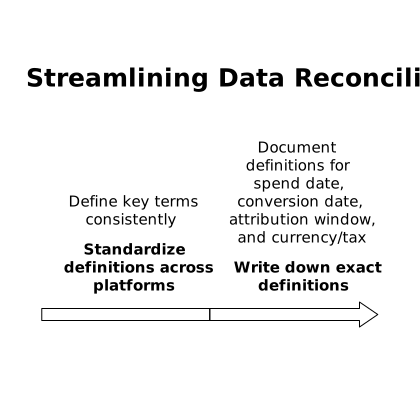
Standardize definitions across platforms
Write down the exact definitions you’ll use for:
- Spend date (platform day, account time zone)
- Conversion date (event timestamp day, or imported conversion day)
- Attribution window assumptions
- Currency and tax handling
This sounds basic, but most “ROAS disputes” are definition disputes.
Normalize time zones and naming before you aggregate
Small inconsistencies compound quickly when you join datasets. If you’re doing server-side analytics, it’s also worth ensuring you’re not blending bot-driven sessions into conversion timing—especially when evaluating short windows. The mechanics of keeping that traffic out matter; if you’re working on this, see separating real humans from bot traffic in server-side analytics.
Use a data pipeline that can carry both dates cleanly
One reason teams struggle is that many reporting setups flatten everything into a single “date” column too early. A more robust model keeps both fields:
- spend_date
- conversion_date
- click_date (when available)
Then you can build the reporting pattern you need without re-ingesting data each time the business asks a new question. This is where a marketing data infrastructure layer helps: Funnel.io is designed to collect and normalize performance data across ad platforms, analytics, and CRMs so you can standardize fields (including dates and currencies) and deliver consistent datasets downstream to your warehouse, BI, or spreadsheets.
Close the loop with planning and decision cadence
Even with perfect reporting, teams still need an operating rhythm that respects data maturity. If you’re shipping changes weekly, tie your optimization decisions to windows where the data is stable, not to the newest incomplete day. A lightweight cadence helps avoid overreacting; cycle planning without scrum theater for weekly shipping is a good model for making those decisions consistently.
What “good” looks like when you’ve solved it
- Your dashboards clearly label whether metrics are spend-date or conversion-date based.
- Recent days are treated as provisional, with a defined maturity window.
- You can compare channels fairly using cohort ROAS at consistent horizons (D+7, D+30).
- When someone asks “why did ROAS drop yesterday?”, you can answer in one minute—with definitions, not excuses.
Vertical Video
Frequently Asked Questions
How should Funnel.io teams choose between spend-date and conversion-date ROAS?
Use conversion-date ROAS for understanding business outcomes (what happened in sales/leads that day) and spend-date cohort ROAS for budget decisions. In Funnel.io-powered datasets, keep both dates so each report answers a clear question.
What is a “maturity window” and how does it affect ROAS in Funnel.io reports?
A maturity window is the number of days you treat conversion data as incomplete due to reporting lag (imports, modeling, attribution updates). In Funnel.io reports, you can flag or exclude recent days inside that window so ROAS isn’t judged before conversions fully land.
How do D+7 and D+30 cohort ROAS metrics help when using Funnel.io?
They show how much revenue a spend cohort produces after 7 or 30 days, which makes slow-converting channels comparable to fast ones. Funnel.io helps by standardizing cost and conversion fields so cohort tables remain consistent across sources.
Why does ROAS change after the day is “over,” even with Funnel.io pipelines?
Spend usually stabilizes quickly, but conversions can be imported late, deduplicated, or re-attributed by platforms. Funnel.io can refresh and normalize those updates, which improves accuracy—but it also means historical conversion totals can legitimately change.
What’s the most common data modeling mistake to avoid when reconciling dates in Funnel.io?
Flattening everything into a single generic “date” column too early. Instead, model spend_date and conversion_date separately (and click_date when available) in Funnel.io outputs so you can build both daily outcome views and spend-cohort efficiency views without rework.